 MineNotify
Live status for Minecraft servers
Know the second your server goes down.
MineNotify posts a panel into your Discord channel that updates itself — server icon, colored MOTD, player count and ping as a rendered card, plus a 24-hour player graph underneath.
- Java + Bedrock
- Platforms
- 60s–10m
- Refresh choice
- 24h
- Player graphs
Channels
# announcements
# status
# general
# media
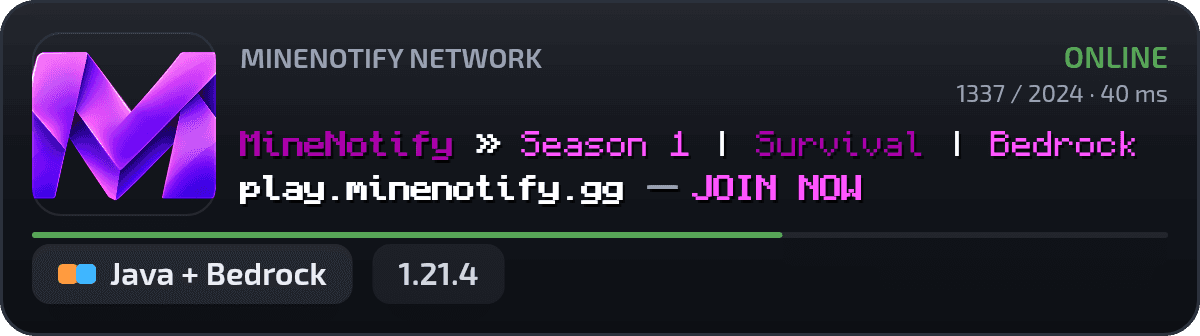
MineNotify Network — Season 1 is live! Java + Bedrock | play.minenotify.gg
Live right now
Players42 / 100
Ping38 ms
Uptime 7d99.8%
refreshes every 60s
What it does
A quiet panel that never sleeps.
Three quiet pieces: a message that refreshes itself, a card drawn for gamers, and a page for everyone without Discord.
Panels that update themselves
Each panel edits its own Discord message on a 60-second heartbeat — a live card plus a 24-hour player graph, with Discord rate limits respected.
See the commandsCards drawn for gamers
Server icon, two-line MOTD in real Minecraft colors, players bar, version and ping — rendered as a crisp image, plus compact and text-embed styles.
See it liveStatus pages for everyone else
Publish a themed public page at /s/your-page with live cards, uptime bars and player counts — no Discord account needed to view.
Open the dashboardSlash commands
Four commands.
One calm channel.
Everything runs on four slash commands with role-based permissions — or click through the same actions in the dashboard.
/server add · test · list— Register Java, Bedrock or cross-play servers and query them on demand./panel create · refresh— Post a live panel into any text channel; force every panel to update now./statuspage list— Links to the public status pages built for this Discord server./help— The setup guide, posted publicly for the whole channel to follow.
you /server add · My SMP
MineNotifyServer registered — Online · 42/100 players
you /panel create · #status
MineNotifyPanel posted — refreshing every 60s
you /statuspage list
MineNotify2 pages — minenotify.xi.to/s/my-smp
Always on
Built for the minute everyone asks “is it down?”
The scheduler re-queries every server, redraws the card and edits the panel message — players stop pinging staff and just look at #status.
60s
Refresh
24h
Graphs
2
Editions
Free forever
Stop wondering. Start knowing.
Invite the bot, register a server, drop a panel — live in under a minute.
Free · Most popular
$0, no card, no trial clock.
- Up to 8 servers per Discord server
- Up to 8 live panels + 5 status pages
- Java, Bedrock and cross-play queries
- Card, compact and text-embed styles
- 24h player graphs and uptime history
Prefer clicking?
Every command also lives in the dashboard — servers, panels, version labels, themes and status pages, all behind Discord sign-in with role-based access.